SPX Leaderboard for Webscorer
A free leaderboard by SPX Graphics for Webscorer users.
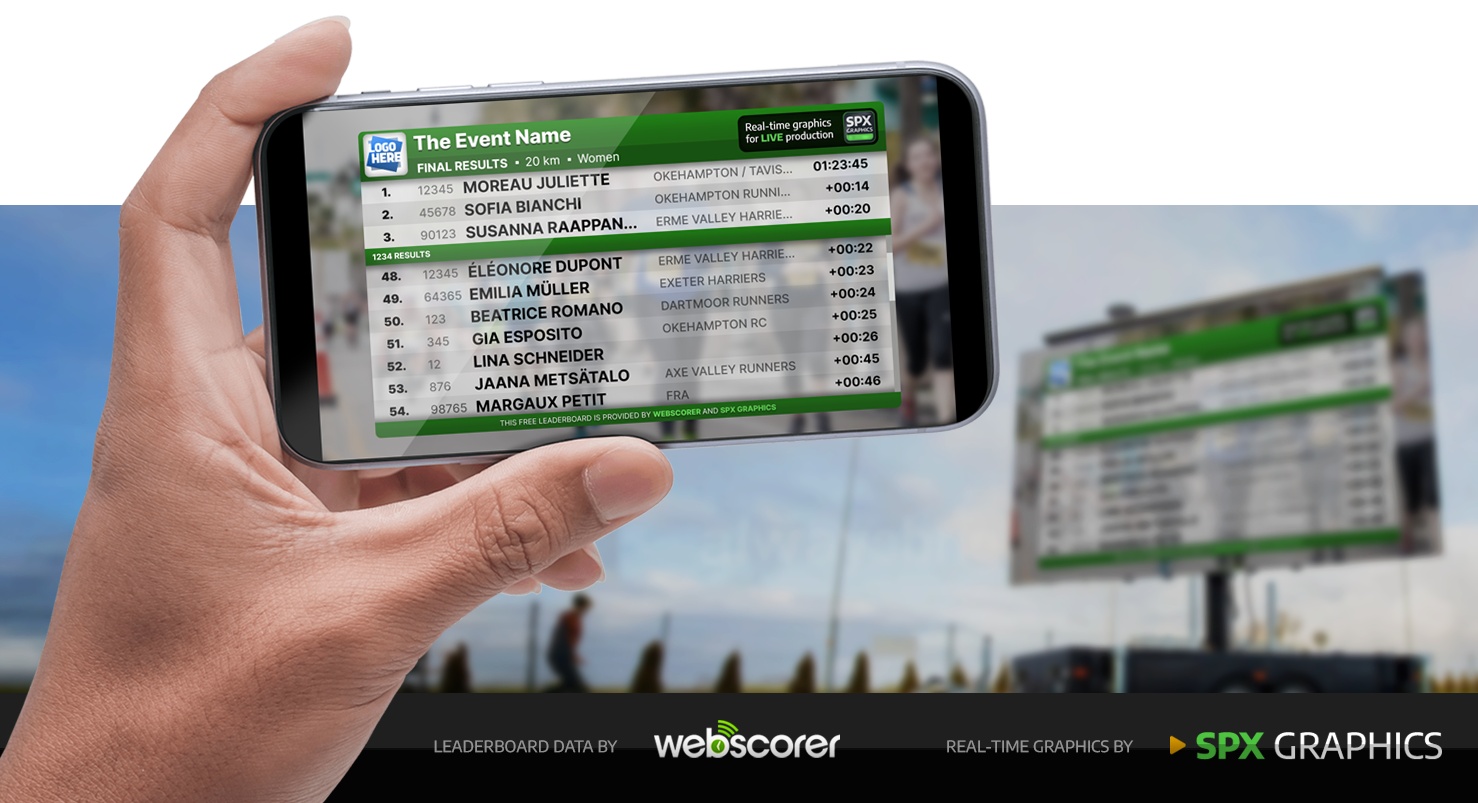
Free Leaderboard is a complimentary service provided by SPX Graphics and Webscorer to enable users to display live results from their Webscorer events on LED screens or as live stream overlay graphics.
It is designed to be user-friendly and accessible to all Webscorer users, allowing them to enhance their event presentations with dynamic leaderboards at no cost.
Free Leaderboard integrates Webscorer JSON API and SPX Graphics' output for live event data display in an engaging format.
Leaderboard can be displayed as a full-screen browser display on LED screens at the event venue or as overlay graphics in live streams, providing real-time updates and enhancing the viewing experience for both on-site and remote audiences.
We want to introduce our professional graphics services to the Webscorer community.
By offering this free leaderboard service, we aim to showcase the quality and capabilities of our graphics solutions, hoping that event organizers will consider us for their future needs in live event and video productions.

Webscorer is a comprehensive all-in-one platform designed for organizing timing-sport events, providing race registration, timing, and result services. Webscorer is used in over 120 countries, it supports more than 60 different sports, including running, cycling, skiing and paddling and more.
Learn more and get started for free at webscorer.com

SPX Graphics is a Software and Creative Services company specializing in live graphics using web technologies.
SPX provides professional tools and workflows for affordable real-time, customizeable, dynamic live graphics for live events, streaming and broadcast TV. These include news tickers, countdowns, lower thirds, leaderboards, score bugs and many other types of real-time graphics.
See SPX showreel on Youtube or visit spx.graphics for more information.
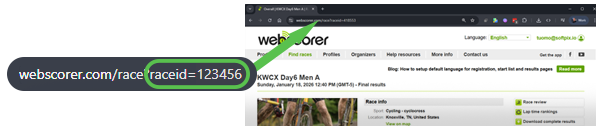
Every event in the Webscorer system is assigned a unique Race ID number. This ID is used to identify and access the specific event data through the Webscorer JSON API. To use the Free Leaderboard service, you need to provide the Race ID of your event so that the leaderboard can fetch and display the relevant results.
Webscorer maintains real-time results during the event. The Free Leaderboard fetches these results using the Webscorer JSON API and displays them in a dynamic webpage using a layout we call "template". The leaderboard automatically updates as new results are posted, ensuring that viewers always see the most current standings.
The default layout shows TOP3 in a fixed position at the top, with the most recent finishers listed below. Other layouts are available for different presentation styles.
Sponsorships are an important element in events and live stream productions.
To enable sponsors, custom functionality and styling including colors, fonts and more, SPX Graphics can help by set up private graphics playout solution using the SPX Cloud platform.
Please contact SPX Graphics for more information.
This free version of Leaderboard has a limited number of designs and options for changing the appearance of the output.
For customizations please contact SPX Graphics.
When you have configured and launched the Leaderboard, a new browser window will open with the unique URL for your leaderboard instance. Typically you will configure your main LED screen output as a second monitor of your computer. Drag the window to the second screen and set it to fullscreen mode by double-clicking on it (or use the F11 key or right-click and select "Fullscreen").
The selected screen will automatically display the live-updating Leaderboard during your event.
Please note the Leaderboard adjusts to any screen size, also in vertical orientation.
When live streaming your event to Youtube or other platforms, you can use your streaming software to add the Leaderboard graphics over your video using the unique renderer URL of the output window.
If you are interested in custom graphics for your events and productions, or have questions about the Free Leaderboard service, please feel free to reach out to SPX Graphics. You can contact us through our website at spx.graphics/contact or email us at info@softpix.io. Please allow some time for us to get back to you, we will do our best to respond to all inquiries as soon as possible.